Launch Your First AppLovin Campaign: From Account Setup to Review
Work through account setup, payment, Pixel validation, campaign goals, and Creative Sets before submitting your first ecommerce campaign.

Before launching a first AppLovin campaign, focus on three things: reliable tracking, an appropriate optimization goal, and a consistent journey from video to website. This guide follows the setup sequence in Stream’s original Chinese article, with platform details checked on November 24, 2026.
Create an account → Add payment → Connect the Pixel and catalog → Configure a campaign → Build Creative Sets → Review and submit.
Registration is open, but approval still matters
AppLovin announced open registration on June 22, 2026. Advertisers can sign up without a referral code. Ecommerce advertisers use AppLovin Ads; MAX serves the publisher monetization side. Our guide to AppLovin Ads, Axon, and MAX explains the distinction.
Open registration does not remove account or website review. The original Chinese article discussed agency assistance for sellers in China. That is operational guidance, not an official requirement or a guarantee of approval. Follow the platform’s instructions and official support when registration or review issues arise.
Add account details and payment
Create the account, complete business information, and invite the appropriate administrators. Add a payment card under Payment & Billing.
New accounts use prepay billing. Check card capacity, international payments, and charge notifications before launch so a failed payment does not unexpectedly interrupt delivery. See the official billing guide.
Connect the Pixel and validate shopping events
The Pixel records website behavior, including browsing, cart activity, and purchases. Incorrect signals make subsequent performance harder to interpret.
Shopify merchants can use the official AppLovin app to configure the Pixel, product catalog, and purchase tracking. Other websites can integrate through Google Tag Manager.
For a purchase flow, check these five events:
page_view, view_item, add_to_cart, begin_checkout, and purchase.
A “connected” status is not enough. Walk through browsing, adding to cart, checkout, and a test purchase with Pixel Helper. Check event names, purchase value, currency, and order identifiers. Errors in purchase data can distort ROAS reporting. Follow the official GTM integration instructions for the implementation appropriate to the store.
Configure the campaign
Select Create in Ads Manager. Starting with one clearly named campaign can make an initial test easier to manage.
Catalog and destination. Dynamic Catalog can display relevant products from a catalog. Define the campaign landing page, then use Creative Set destinations when different products or offers need different pages. Check tracking parameters before launch. The website should deliver the product and offer introduced in the ad.
Optimization goal. ROAS prioritizes revenue relative to spend. CPP targets cost per purchase. CPL is intended for lead-generation businesses. Choose based on the actual business objective and economics, including order value, margin, conversion behavior, and relevant acquisition benchmarks. An overly restrictive target can constrain delivery.
Audience and day target. Universal considers purchases from both new and returning customers. Prospecting focuses on new customers. Discovery focuses on people who have not visited the site. Choose deliberately; no single option is a universal requirement for new accounts. Day 0 optimizes toward same-day conversion, while Day 7 allows a longer consideration window.
Budget. AppLovin suggests considering the budget that produces about ten daily purchases on existing social channels as a starting point for learning. This is guidance, not a minimum performance commitment. Keep the test affordable and avoid spreading limited resources across too many experiments.
Consult the current web campaign setup guide for available options and regions.
Build video and Interactive Page assets together
A Creative Set groups assets that can run together. The campaign guide specifies at least one video and one interactive or image asset, with up to ten of each type. The system tests combinations. Organize a set around a coherent product, offer, or test theme.
Think through the customer’s path:
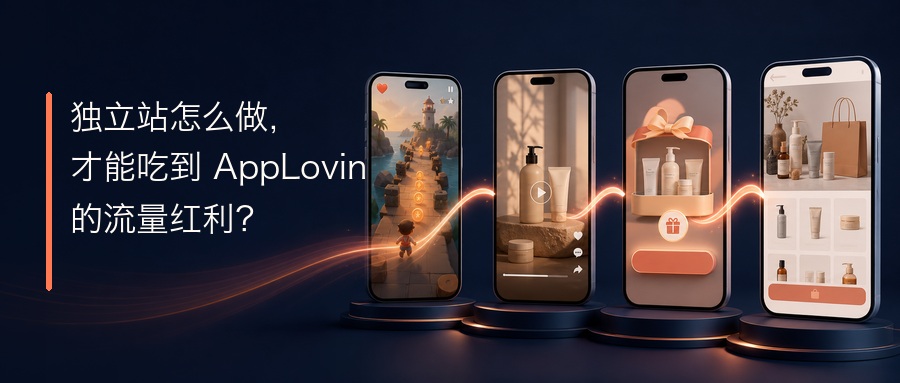
Vertical video → Interactive Page → Ecommerce landing page.
The video introduces the product, the Interactive Page encourages action, and the website continues the same offer. Inconsistent details can interrupt the shopper’s understanding.
AppLovin says an Interactive Page can account for more than half of a Creative Set’s clicks. That is a platform statement about its possible contribution, not a promised result for every campaign. Our Interactive Page guide explains the component and its role.
Captions also deserve attention. AppLovin’s Mellow Sleep example reported 64% higher Day 0 ROAS for captioned videos than otherwise identical videos without captions. This single-brand result is a reason to test readable captions, not an expected uplift for every business. See the official video guide and Interactive Page guidance.
For more on connecting the offer to the destination, read our AppLovin ecommerce creative strategy.
Once the campaign, Creative Sets, destination, and payment method are ready, submit for review. Creating a campaign does not mean it will immediately spend: the platform still reviews the site and creative.
If someone clicks but then has to search again for the product or promotion they just saw, purchase interest can be lost. Review the video, Interactive Page, and website as one continuous path before launch.
Source and scope
Adapted from Stream’s September 2026 Chinese article, with platform documentation rechecked on November 24, 2026. The official account-creation guide confirms open registration and review procedures. Budget guidance, click-share statements, and the caption case retain their original limits and do not guarantee performance. Available controls and regions remain subject to the advertiser’s account.